 suds
sudsOne order, start to finish.
suds connects people who need laundry done with independent Laundry Pros and local laundromats. Here's exactly what happens on both sides of the order, and when money moves.
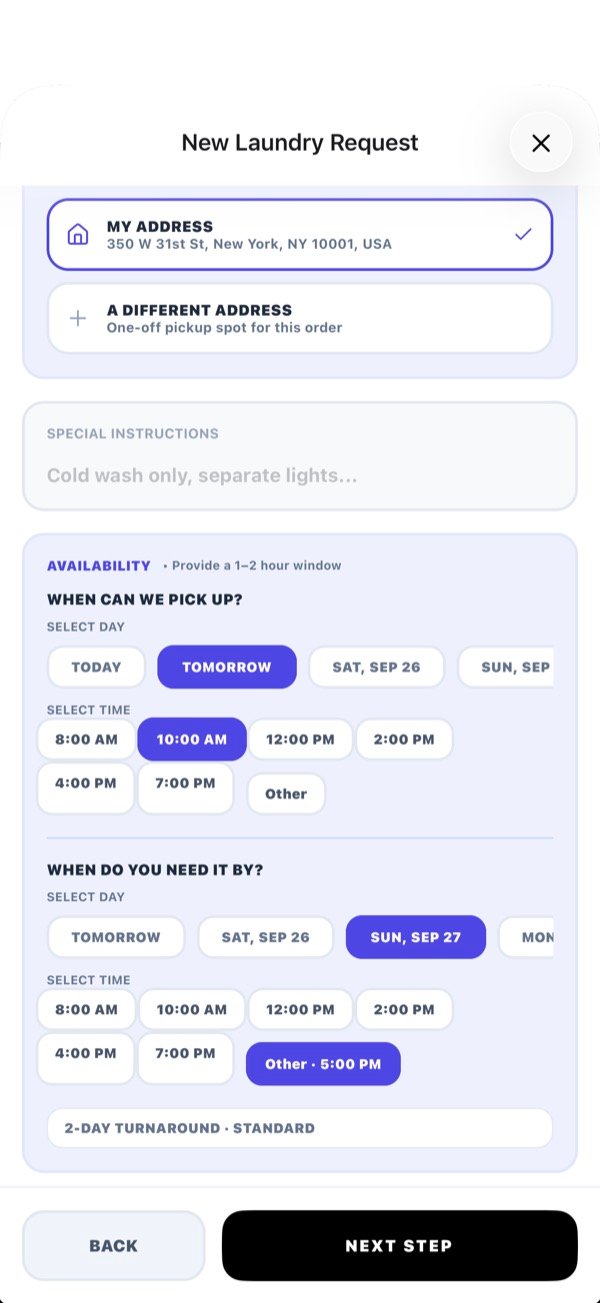
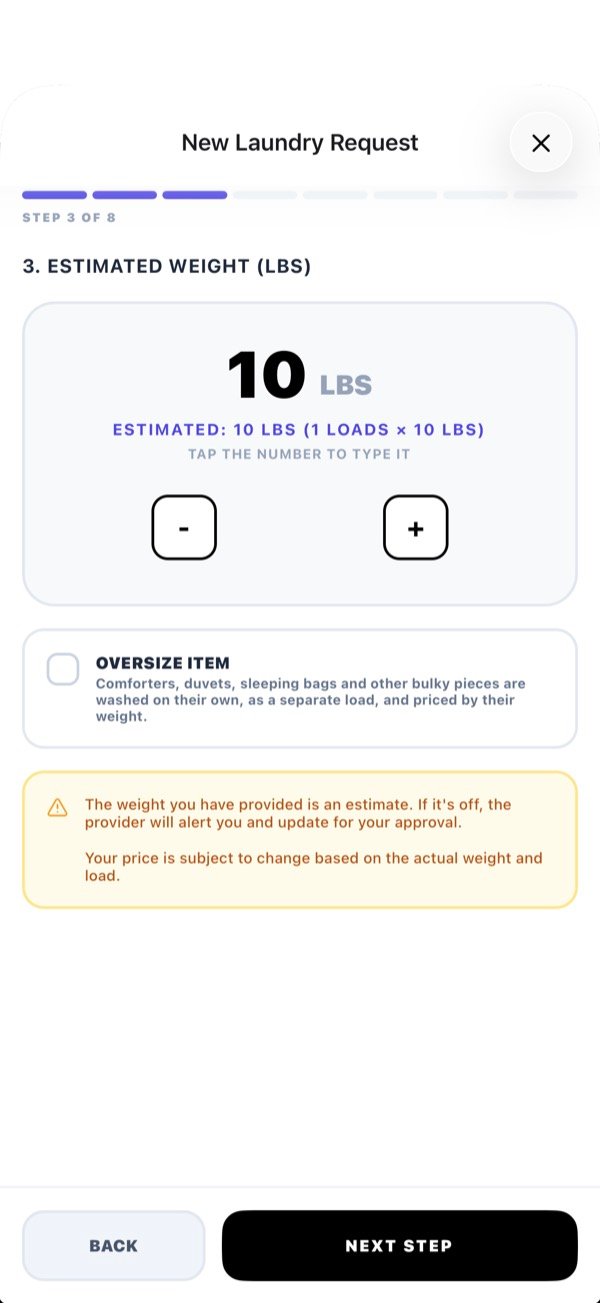
What actually happens, in order.
Left: what the customer does in suds. Right: what the pro does in sudsHQ.
| # | Customer · suds | Laundry Pro or store · sudsHQ |
|---|---|---|
| 1 | Taps Start New Request, picks Regular Wash or Dry Clean, an estimated load count, pickup or drop-off, and times. | Nothing yet. Keep Services switched on and the app running. |
| 2 | Chooses Broadcast Request (everyone nearby) or picks one provider from Nearby, Favorites or Last Used. | A push arrives. Broadcasts show as Live Broadcast; a direct order is addressed to you. |
| 3 | Reviews the itemised total and taps Authorize. The card is held, not charged. | Sees the job and net payout. Taps Secure Order (broadcast, first wins) or Accept Order (direct). Full address unlocks. |
| 4 | Gets a notification that a provider confirmed. Watches the live map when the pro heads over. | Start Pickup → Mark At Pickup. For a drop-off order: Mark Laundry Dropped. |
| 5 | If the weight or load count differs, sees Price Adjustment — Action Required, then approves, or rejects and cancels. | Weighs it and taps Adjust Price if needed. Waits for approval. |
| 6 | The card is charged now, when the wash begins. | Start Laundry. Wash, dry, fold. |
| 7 | Tracks the delivery on the map, or goes to collect it. | Start Delivery → Mark Delivered. For a drop-off order: Mark Picked Up. |
| 8 | Rates the provider 1–5 stars and can Add a Tip. | Paid on the next payout. Tips go to you separately. |
How an order finds a pro.
Broadcast sends the order to every eligible provider nearby. Customers choose who can see it: Laundromats, Laundry Pros, or Both. The first to confirm gets the job, which is usually the fastest pickup.
Direct sends the order to the one provider the customer picked. Direct orders can use coupon codes; broadcasts can't.
A provider only sees a broadcast when all of these are true:
- They're inside the customer's search radius.
- They're the type the customer asked for.
- The order meets their minimums, and they price any dry-clean items chosen.
- Their Services switch is on.
What a broadcast costs the customer
Because nobody knows yet who will accept, checkout shows a Maximum You May Be Charged, set by the highest-priced provider in range. The customer pays that or less once a provider accepts.
Pros: a broadcast only shows you the customer's zip until you secure it. The full address appears after you accept.
Where the money goes, and when.
Customer checkout lines
- Laundry: the provider's own rate.
- Special services, Priority, Pickup & delivery, if chosen.
- Coverage: basic up to $200 is included; premium up to $350 is extra.
- Pro Verification fee: covers provider identity and background verification.
- Fair earning adjustment: on small orders, tops up the platform fee to its minimum.
- Sales tax (if the provider charges it) and card processing.
Timeline
- Booking: card authorized, nothing charged. Cancel free before the wash starts.
- Price change: the customer approves or rejects first.
- Start Laundry: the card is charged.
- Payout: free on the 1st and 15th (orders from the 1st–14th pay on the 1st of next month; 15th–end pay on the 15th of next month), or daily for $0.99/transfer.
- Tips: paid to the provider, less card processing only.
Laundry on autopilot.
Providers can offer a monthly plan: one flat price for a weekly pickup and drop-off, with no delivery fee. Customers choose a day and time, pick their monthly provider, and it renews automatically. Skipped pickups become credit toward next month. Providers get paid per pickup as each week is released.