 suds
suds1. Sign up
- Enter your Mobile Number and tap Send Access Code.
- Type the code and tap Verify & Connect.
- Add your name, email (verified with a code), street address and zip. Have a friend's code? Enter it in Referral Code.
- Tap Finish & Enter App.
2. Place an order
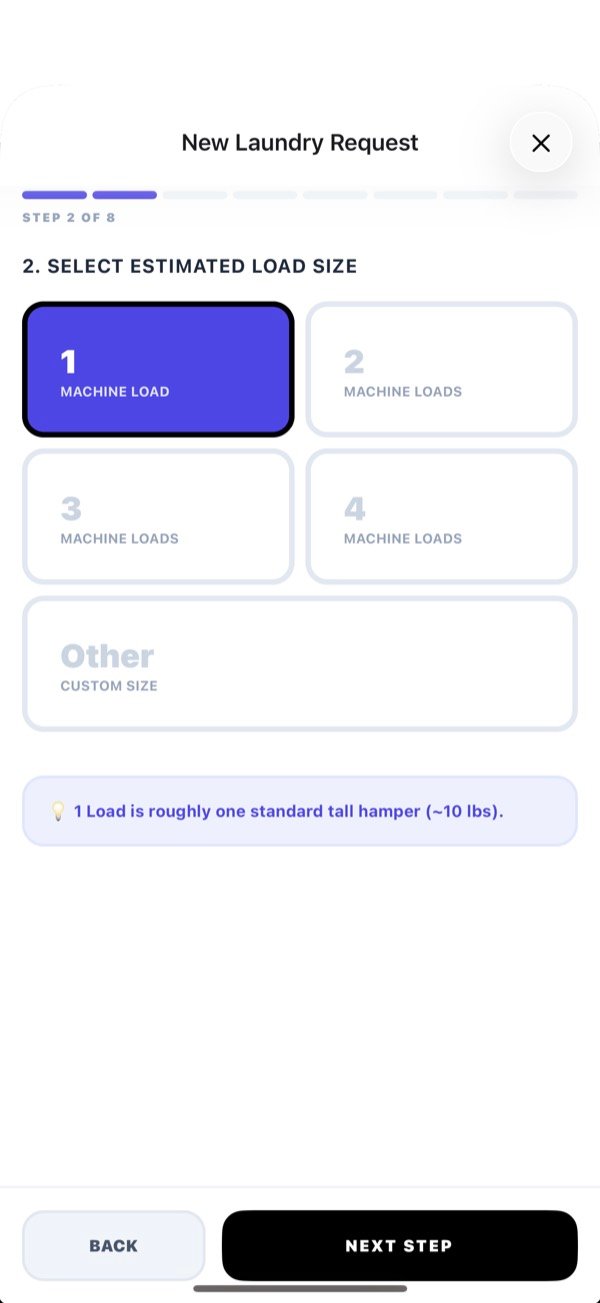
On Explore, tap Start New Request. The app walks you through it:
- Service type: Regular Wash (machine wash & dry) or Dry Clean.
- Load size: 1 to 4 machine loads. One load is about one tall hamper. No scale needed.
- Estimated weight, plus any oversize items like comforters (add a photo if you like).
- Logistics: Pick Up My Laundry or I'll Drop It Off, the address, special instructions, and when you need it back. A short deadline shows a priority notice.
- Pickup & handling: gate codes, house or apartment (unit number), pets at home, and the Unsanitary Laundry Policy.
- Special services (optional, per load), like Oxi Boost or Hanger Service.
- Allergies & coverage: flag detergent allergies. Basic coverage up to $200 is included, or add Premium up to $350 for $4.99.
3. Broadcast, or choose a pro
Broadcast Request
Send it to everyone nearby. Whoever confirms first gets the job, which is usually the fastest pickup. Choose Laundromats, Laundry Pros, or Both.
Pick a provider
Choose from Last Used, Favorites or Nearby. Cards show badges like Laundry Pro KYC verified Background checked and reviews. Coupon codes work only on orders sent to a chosen provider.
Adjust the Search Radius Limit or the zip you're Searching Near to see more options.
4. Checkout: holds, not charges
- Choose Pickup & Delivery (flat fee) or Drop Off (no extra charge).
- Review the itemised total: laundry, add-ons, coverage, delivery, priority, the Pro Verification fee, tax and card processing. For a broadcast you'll see the Maximum You May Be Charged; you'll pay that or less.
- Add a coupon (chosen provider only) or use your referral credit, then tap Authorize.
Your card is only held. You're charged when your provider starts the laundry, and you'll approve any change to the final price first.
5. Track your laundry
Open My Laundry. You'll see each stage from Requested to Done, a live map while your provider is on the way for pickup or delivery, Photos from your provider, and a chat with your provider.
6. Approve a price change
If your bag weighs more or less than estimated, your provider sends an update. You'll see Price Adjustment — Action Required:
- Approve: the provider starts washing at the new price.
- Reject & Cancel: the order is cancelled before any charge.
7. Rate & tip
- After delivery, tap Rate Your Provider, choose 1–5 stars, add a note, and Submit Rating.
- Tap Add a Tip: 15%, 18%, 20% or a custom amount ($1 minimum). Tips go to your provider, less card processing.
8. Monthly plan
- When starting an order, tick Make this a monthly service.
- Choose the day each week and a pickup time, then Choose Monthly Provider.
- Tap Confirm Monthly Service, then Start Monthly Service. It's charged when the first pickup happens and renews each month.
- Skipped pickups become credit toward next month. Manage or cancel under Account → Monthly Service.
9. Refer a friend
- Go to Account → Refer a friend and share your code, or tap Invite by email.
- Your friend gets $10 off their first order. You get $10 once that first order is completed.
- Credit applies automatically to your next order and can't be exchanged for cash. One referral per household address.
10. Help & your account
- Customer Support Chat in the app reaches our team, or email contact@sudshamper.com.
- To delete your account: Account → Delete Account → Delete My Account. You'll need to finish open orders and end any monthly plan first. Your data is purged within 30 days.
- Privacy questions: privacy@sudshamper.com.